Stop loss order
A stop loss order tells your broker to sell if the price reaches a level you set. It caps what a single trade can cost you.
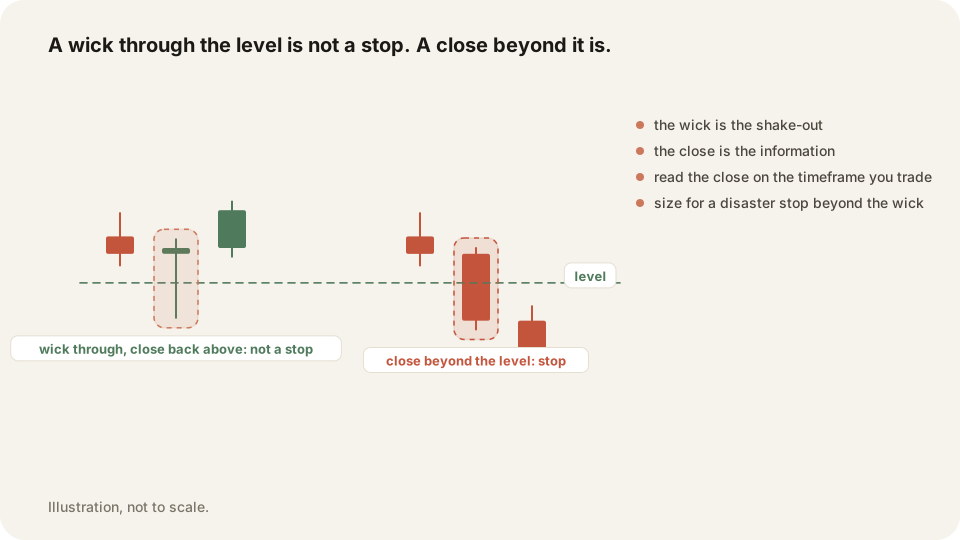
In depth
Buy 100 shares at 50 and set a stop at 48. If the price trades at 48 the order turns into a market order and sells at the next available price, usually near 48. Your loss is about 200 dollars plus a little slippage. A stop limit order sets a floor on the fill price instead, which protects you from a bad print but can leave you still holding the shares.
Gaps are the honest caveat. If bad news lands overnight and the stock opens at 42, your stop sells there, not at 48. A stop caps most losses, not every loss.
Why it matters
Without a stop, a small loss becomes a decision you make while losing money, which is the worst moment to decide anything. Traders who skip stops often win more often than average and still finish down, because one position they refused to close undoes a long row of small winners.
TraderLog does not place orders, but it shows what happened when you used stops and when you did not. Replay any trade on a TradingView chart with your fills marked, and the stats page puts your average loser next to your average winner.
Frequently asked questions
The order becomes a market order at the open, so you sell near the gapped price rather than your stop price.
A stop loss gets you out at an uncertain price. A stop limit fixes the price but might not fill at all.
Keep your Stop loss order trades on the record in TraderLog
Trades import from Schwab and IBKR on their own, every day lands on a calendar with its P&L, and the day's entry sits beside it. Replay any trade on a TradingView chart. Free to start, no card.
Every trading morning at 8:40 ET our model draws the SPY, QQQ and IWM zones it expects to matter, on a TradingView chart, before the open. Where price reaches one, it has turned 74 percent of the time. Free, no account. See today's map